
USB Connectors and Pinout Configurations
Quality USB connectors come in various shapes and sizes, each with unique pin configurations.
The most common types include:
- USB Type-A: These are the most familiar connectors, usually found on computers and chargers. They contain four pins—two for power transmission and two for data transfer. This design enables them to power devices and transfer data between connected components.
- USB Type-B:Commonly spotted on devices like printers and certain peripheral gadgets, Type-B connectors have a different shape and pin configuration compared to Type-A. This distinction allows them to handle both data and power transfer, often serving as the input for peripheral devices, ensuring efficient communication and power supply.
- Micro-USB:Smaller in size, these connectors were extensively used in older smartphones and various portable devices. They contain five pins dedicated to data and power transmission. While being more compact, they offered similar functionalities to their larger counterparts, enabling data transfer and charging for portable devices.
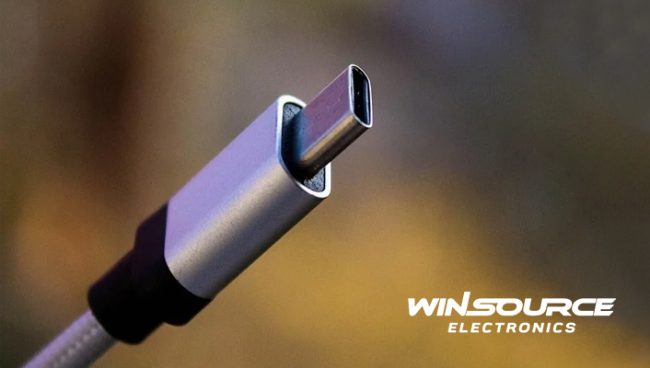
- USB Type-C: These connectors represent a significant evolution in USB technology. Known for their reversibility and versatility, they feature multiple pins catering to a range of functions. Type-C connectors support power delivery, high-speed data transfer, and even video output. Their design allows for a single connector to adapt to multiple tasks, contributing to the increased adoption of this type in modern devices. This versatility significantly enhances the user experience by providing faster data transfer, power delivery, and broader connectivity options.
Pin Functions in a USB Connector
Each pin in a USB connector serves a specific function. let’s explore the most common ones below.
- Power (+5V/Ground): The power pins within a USB connector deliver electrical power to the connected device. Typically, this comprises a +5V pin and a ground pin. The +5V pin provides the necessary power for devices to operate or charge when plugged into a power source. The ground pin completes the circuit, ensuring a stable flow of electricity.
- Data+ and Data- (D+ and D-): These pins are responsible for managing the transfer of data between devices. D+ and D- pins handle the transmission and reception of data signals, facilitating communication between connected devices. They work in tandem to ensure that data is sent and received accurately, contributing to seamless data exchange.
- ID Pin (USB Type-C): This pin is unique to USB Type-C connectors. Its role is crucial in determining the orientation of the cable and designating the device’s role as either a host or a peripheral. This identification pin helps manage the direction of power flow and data transmission, particularly in reversible connections, allowing devices to adapt to various roles in the connection process. This facilitates efficient and versatile communication between devices, as well as power management in reversible setups.
Importance of Understanding USB Pinout
The USB pinout is a fundamental aspect of modern technology, enabling the seamless connectivity and data transfer that we often take for granted.
Understanding the arrangement and functions of these pins is crucial in ensuring proper connections, compatibility, and the efficient operation of devices in our interconnected world.
Here are a few crucial reasons why:
- Compatibility: Knowing the pin configurations helps ensure the right connectors are used for specific devices, avoiding potential damage or data loss due to incorrect connections.
- Troubleshooting: Knowledge of the pinout assists in diagnosing connection issues. Identifying faulty pins or mismatches can help resolve connectivity problems.
- Development and Innovation: For engineers and developers, understanding USB pinout is fundamental in designing new devices and creating compatible interfaces for optimal performance.
USB Pinout Evolution: Empowering Advanced Device Connectivity
The significance of comprehending USB pinout is increasingly crucial, especially in an era where devices constantly demand higher power, quicker data transfer, and versatile connectivity.
Engineers and developers, in particular, rely on this understanding to create the next generation of gadgets that demand seamless compatibility and performance.
As technology continues to surge forward, embracing USB pinout intricacies becomes more than just a skill—it’s a necessity.
It’s the key to ensuring that our interconnected world functions seamlessly, allowing for devices to communicate effectively, troubleshoot issues, and remain compatible, fostering an efficient data transfer environment.
Understanding USB Pinout – To Finish on…
As we’ve discovered, while USB technology continues to evolve, so does the complexity of these connectors, making it all the more important to grasp the intricacies of USB pinout for seamless and efficient data exchange.
By comprehending the USB pinout, users can navigate the vast landscape of devices and connections with confidence, ensuring a smooth and effective data transfer experience.
For all your USB needs, whether you are a hobby enthusiast or as part of a larger industry project, check out our store.
Here at WIN-SOURCE, we can help you source difficult-to-find components with competitive pricing and an unrivaled quality policy.
© 2025 Win Source Electronics. All rights reserved. This content is protected by copyright and may not be reproduced, distributed, transmitted, cached or otherwise used, except with the prior written permission of Win Source Electronics.

COMMENTS