
* Question
What Are the Main Debugging Features of ModelSim?
* Answer
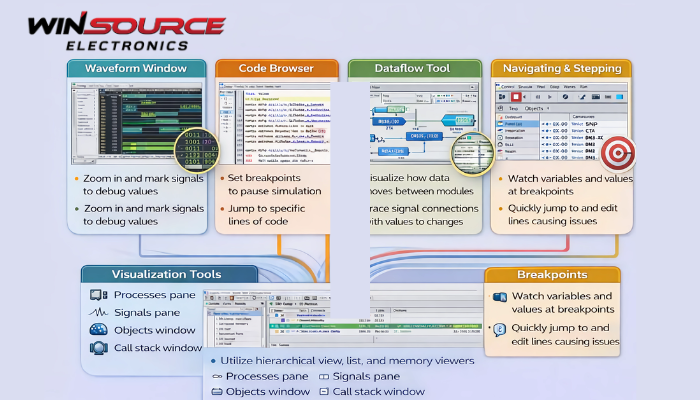
One of the most notable features of ModelSim is its powerful and comprehensive debugging capability. ModelSim provides multiple debugging methods that help engineers efficiently analyze and verify HDL designs at different stages of the simulation process.
1. Waveform-Based Debugging
Waveform debugging is one of the most commonly used features in ModelSim.
- Supports detailed signal waveform display
- Allows zooming, signal grouping, and time-based analysis
- Enables comparison of multiple signals across different hierarchy levels
This method helps engineers visually analyze signal timing relationships and functional behavior.
2. Source-Level Debugging
ModelSim supports source-level debugging for HDL code.
- Directly links simulation results to HDL source files
- Allows breakpoints, single-step execution, and code tracing
- Displays current execution statements and signal values
This type of debugging is especially useful for locating logic and syntax-related design errors.
3. Hierarchical Debugging
Hierarchical debugging enables designers to explore and debug designs across multiple levels of hierarchy.
- Supports module and instance-level inspection
- Allows navigation through complex design structures
- Enables selective signal observation within specific modules
This approach is essential for large-scale FPGA and ASIC designs.
4. Interactive Simulation Control
ModelSim provides interactive simulation control to enhance debugging flexibility.
- Supports run, pause, restart, and step-by-step simulation
- Allows dynamic signal forcing and value modification
- Enables real-time observation of simulation behavior
This interactivity helps engineers test different scenarios without recompiling the design.
5. Assertion and Error Reporting Support
ModelSim supports assertions and detailed error reporting mechanisms.
- Detects functional violations during simulation
- Provides clear diagnostic messages and timing information
- Helps identify corner cases and unexpected behaviors
Assertions improve design robustness and verification efficiency.
Summary
ModelSim’s main debugging features include waveform-based debugging, source-level debugging, hierarchical analysis, interactive simulation control, and assertion-based error detection. Together, these capabilities make ModelSim a powerful tool for functional verification and HDL design debugging.

COMMENTS