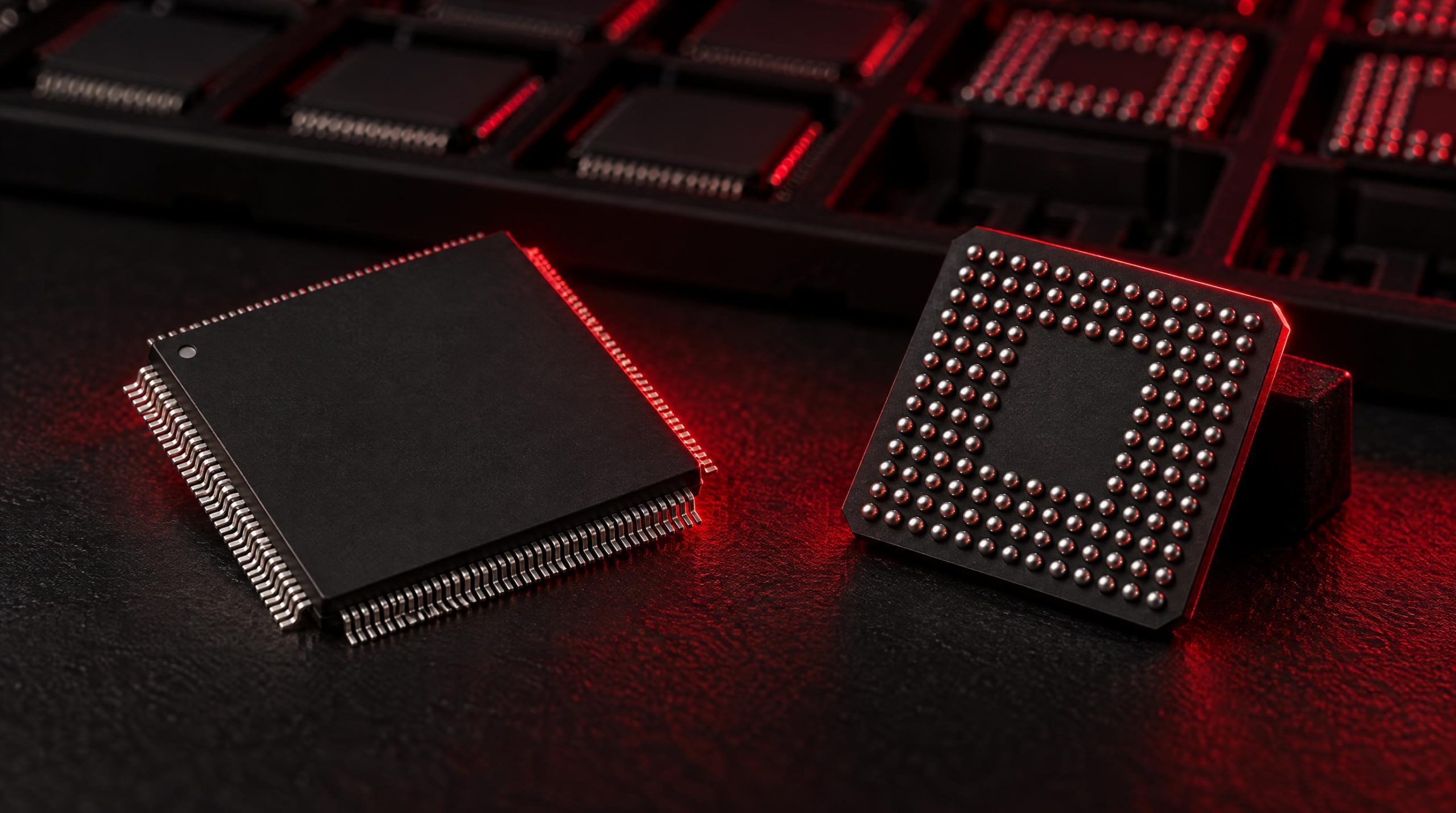
If you spend any time in embedded systems design, you will encounter the terms microcontroller and microprocessor used almost interchangeably — sometimes in the same datasheet. They are not the same thing, and choosing the wrong one early in a project can ripple into board layout headaches, blown power budgets, and missed development timelines. At the same time, the boundary between the two has genuinely blurred over the past decade, with crossover devices and highly integrated SoCs occupying the middle ground.
This article gives you a clear-eyed look at what separates an MCU from an MPU architecturally, where each excels in real designs, how the development experience differs between them, and what a practical selection process looks like. It also covers a sourcing angle that engineers rarely think about until it’s too late: the component lifecycle implications of whichever platform you choose.
Architectural differences, real-world use cases, and a practical framework for choosing the right platform for your design
|
◯ MCU
|
□ MPU
|
▲ SoC
|
|
5 KEY TAKEAWAYS
|
|
01
MCUs integrate CPU, RAM, Flash & peripherals on one chip — MPUs rely on external DDR, storage, and PMICs |
02
MCUs offer microsecond-level real-time determinism; MPUs running Linux have jitter that can break tight control loops |
03
MCU sleep current drops to µA range; MPU systems draw watts and often need heatsinks or active cooling |
|
04
Crossover MCUs (e.g. NXP i.MX RT at 1 GHz) are blurring the line — often eliminating the need for full Linux MPU platforms |
05
Component lifecycle must be evaluated at design time — not at production — to avoid EOL disruptions for long-life products |
|
AT A GLANCE: MCU vs MPU
|
|
µs
MCU Boot Time
|
~10s
MPU Linux Boot
|
<$1
MCU Volume Cost
|
|
<1 µA
MCU Deep Sleep
|
1 GHz
Crossover MCU Max
|
3+ GHz
MPU Clock Speed
|
|
HEAD-TO-HEAD COMPARISON
|
|
Feature
|
MCU
|
MPU
|
|
Integration
|
CPU + RAM + Flash on-chip
|
CPU only; external DDR & storage
|
|
Clock Speed
|
1 MHz – 600 MHz
|
500 MHz – 3+ GHz
|
|
Memory
|
KB to low MB on-chip
|
External DDR; GB-scale
|
|
Power
|
µA sleep / mA active
|
Watts; needs thermal mgmt
|
|
Real-Time
|
✓ Excellent (bare-metal/RTOS)
|
≈ Limited (PREEMPT-RT needed)
|
|
OS Support
|
FreeRTOS / Zephyr / Bare-metal
|
Linux / Android / Windows IoT
|
|
Boot Time
|
Milliseconds
|
Seconds to tens of seconds
|
|
PCB Cost
|
Low; 2-layer design feasible
|
High; 4–6 layer + PMIC + DDR
|
|
WHERE EACH IS DEPLOYED
|
|
MCU USE CASES
Automotive ECUs — ABS, airbag, engine management
Industrial Control — motor drives, PLCs, smart meters
IoT Endpoints — battery sensor nodes, deep sleep cycles
Medical Devices — glucose monitors, infusion pumps
Consumer Appliances — thermostats, e-bikes, wearables
|
MPU USE CASES
Industrial HMIs — touchscreen panels, GPU-driven UI
Edge Gateways — Linux networking stacks, protocol translation
Automotive Infotainment — navigation, streaming, voice AI
Machine Vision & Edge AI — neural net inference, real-time imaging
Single-Board Computers — Raspberry Pi CM, SoM platforms
|
|
6-STEP DECISION FRAMEWORK
|
|
1
|
Do you need a general-purpose OS?
If yes (Linux, Android, complex file I/O) → MPU/SoC. If bare-metal or RTOS suffices → MCU.
|
|
2
|
What are your real-time requirements?
Sub-millisecond servo loops or safety shutoffs → MCU with bare-metal/RTOS. General task scheduling is fine for MPU.
|
|
3
|
What is your power budget?
Battery / energy harvesting → MCU. Mains-powered with heatsink tolerance → MPU feasible.
|
|
4
|
How much memory do you actually need?
Firmware fits in KB–MB → MCU. UI frameworks, large models, or datasets in tens/hundreds of MB → MPU.
|
|
5
|
What are your BOM cost and PCB targets?
High-volume, cost-sensitive, 2-layer → MCU. Higher unit cost and 4–6 layer PCB acceptable → MPU.
|
|
6
|
What is your team’s existing expertise?
Embedded C + RTOS fluent → MCU. Linux software team → MPU. Mismatched skills add real schedule risk.
|
|
THE CROSSOVER ZONE
|
Modern crossover MCUs challenge the traditional divide — delivering near-MPU compute without external DDR, PMIC complexity, or Linux bring-up overhead.
|
NXP i.MX RT1170
Dual Cortex-M7/M4
1 GHz + 400 MHz
2 MB on-chip SRAM · GPU · MIPI-DSI
|
STM32H7 Series
Cortex-M7 Core
480–550 MHz
Around 1 MB on-chip SRAM
|
NXP i.MX 8M
Heterogeneous SoC
Cortex-A + Cortex-M4
Linux + real-time core in one SoC
|
|
DON’T OVERLOOK: LIFECYCLE RISK
|
Component lifecycles have compressed. Industrial, automotive, and medical products often run 10–20 years — but MCU/MPU availability windows can be far shorter. Check lifecycle status at design time, not at production order time.
|
|
|
|
Sourcing a specific MCU or MPU part number? WIN SOURCE is a global independent distributor of electronic components, supporting component supply, shortage sourcing, lifecycle management and alternative solutions. |
Explore Embedded Catalog → |
What Is a Microcontroller (MCU)?
A microcontroller is a self-contained computing device built around a single integrated circuit that combines a CPU core, on-chip flash memory (for storing firmware), SRAM (for runtime data), and a collection of peripherals — timers, ADCs, UARTs, SPI, I²C, PWM outputs, GPIO, and often more — all on the same die. The design philosophy is integration and simplicity: the chip itself is the system, and you need very few external components to get it running. Typical clock speeds range from a few MHz on the smallest 8-bit devices up to around 300–600 MHz on high-end 32-bit parts, and memory is measured in kilobytes to low megabytes rather than gigabytes.
This architecture makes MCUs highly predictable in their timing behavior. Because the firmware runs directly on hardware without a general-purpose operating system mediating access, a well-written interrupt service routine will respond to an external event in a handful of clock cycles — a property called determinism that is essential in motor control, safety-critical sensing, and industrial I/O. The tradeoff is raw compute power and memory capacity: an MCU cannot run a full Linux stack or handle gigabytes of buffered data.
Familiar MCU families include STMicroelectronics’ STM32 series (based on ARM Cortex-M cores from the smallest M0 up to the newest Armv8.1-M designs, running up to 800 MHz in the highest-end parts), Microchip’s PIC and AVR lines, NXP’s LPC and Kinetis families, Texas Instruments’ MSP430 and Tiva C series, and Infineon’s XMC range. The ESP32 — widely used in IoT prototyping — is also an MCU, integrating CPU cores alongside Wi-Fi and Bluetooth radios on a single chip.
What Is a Microprocessor (MPU)?
A microprocessor, in the embedded sense of the term, is primarily a CPU. It does not carry significant on-chip RAM or flash; instead it is designed to work with large external memory — typically DDR SDRAM for main memory and NAND flash or eMMC for storage — connected via dedicated high-speed buses. This external memory dependency is what gives MPUs their characteristic PCB complexity: power rails for the DRAM, a PMIC to supply those rails, bypass capacitors, controlled-impedance routing, and sometimes a separate power sequencing circuit are all mandatory elements of an MPU design that an MCU engineer never has to think about.
What you gain from that complexity is processing headroom. Modern embedded MPUs run full operating systems — most commonly embedded Linux, but also Android, Windows IoT, and real-time variants such as VxWorks — with GHz-class clock speeds, hardware memory management units (MMUs), and the ability to address gigabytes of RAM. That makes them the natural home for applications that require a rich user interface, complex networking stacks, multimedia processing, or AI inference on larger models. The ARM Cortex-A architecture dominates this space; you find it in NXP’s i.MX 8 family, STMicroelectronics’ STM32MP1 and MP2 series, Texas Instruments’ AM62x and AM64x processors, and Renesas’ RZ family, among many others.
Boot time is another distinguishing factor. An MCU can be executing application code within milliseconds of power-on. An MPU booting Linux will typically take anywhere from a few seconds to well over ten seconds depending on the kernel configuration and storage medium — something that matters a great deal in automotive and industrial applications where fast startup is required.
MCU vs MPU: Side-by-Side Comparison
The table below summarizes the most decision-relevant differences between the two architectures. Keep in mind that real products often live somewhere on a spectrum rather than at the extremes.
| Feature | Microcontroller (MCU) | Microprocessor (MPU) |
|---|---|---|
| Integration | CPU + RAM + Flash + peripherals on one chip | CPU only; external RAM, storage, and peripherals required |
| Clock Speed | ~1 MHz to 600 MHz (typical: 48–300 MHz) | ~500 MHz to 3+ GHz |
| Memory | KB to low MB on-chip (Flash + SRAM) | External DDR; GB-scale addressable |
| Power Consumption | Low; µA in sleep, mA active | Higher; requires thermal management |
| Real-Time Determinism | Excellent (bare-metal or RTOS) | Limited without PREEMPT-RT or a dedicated RTOS core |
| OS Support | Bare-metal or lightweight RTOS (FreeRTOS, Zephyr) | Full OS (Linux, Android, Windows IoT) |
| Boot Time | Milliseconds | Seconds to tens of seconds |
| PCB Complexity | Low; few external components needed | High; DDR routing, PMIC, power sequencing |
| Unit Cost | Low (often under $1 to a few dollars) | Higher chip cost plus external component BOM |
| Ideal Application | Specific control tasks, sensing, actuation | General-purpose and OS-driven computing |
Real-World Applications
Understanding where each device is actually deployed helps clarify the abstract architectural differences. Neither is universally better — they are tools optimized for different jobs, and many real products use both simultaneously.
Where MCUs Are Used
MCUs dominate anywhere the product needs to respond to hardware events quickly, operate from a battery or constrained power supply, or be produced in volume at low cost. Common deployments include:
- Automotive ECUs — Engine management, ABS, airbag deployment, HVAC control, and body electronics each run on dedicated MCUs (often from Infineon, NXP, or Renesas) chosen for functional safety certifications like ISO 26262.
- Industrial control — Motor drives, PLCs, smart metering, and sensor nodes rely on MCUs for tight control loops where deterministic timing is non-negotiable.
- Consumer appliances — Washing machines, microwave ovens, thermostats, and e-bikes use MCUs to monitor sensors and drive actuators with minimal BOM cost.
- IoT endpoints — Battery-powered sensor nodes that spend most of their life in deep sleep, wake on an interrupt, sample data, transmit a packet, and return to sleep — tasks that play perfectly to MCU strengths.
- Medical devices — Glucose monitors, infusion pumps, and hearing aids require precision, reliability, and ultra-low power, all of which favor MCU architecture.
- Wearables — Smartwatch health sensors, fitness trackers, and hearables commonly pair a low-power MCU for continuous sensing with a more capable application processor for occasional heavy computation.
Where MPUs Are Used
MPUs belong in applications that need a rich software environment, large memory, complex user interfaces, or connectivity stacks too large to fit on an MCU. Common deployments include:
- Industrial HMIs and panel PCs — Touchscreen interfaces running graphics-heavy UI frameworks require an MPU with a GPU and enough RAM to buffer display data.
- Edge gateways and routers — Protocol translation between industrial fieldbus and Ethernet/IP or cloud infrastructure involves running Linux with multiple network stacks simultaneously.
- Automotive infotainment — Navigation, streaming audio, phone mirroring, and voice assistants in a head unit demand gigabytes of RAM and GHz-class compute.
- Machine vision and edge AI — Real-time image capture and inference on larger neural networks is well beyond MCU territory, putting application processors or SoCs in this role.
- Single-board computers — Platforms like the Raspberry Pi Compute Module use application processors (such as the Broadcom BCM2712) and are effectively MPU-based systems on a module.
It is worth noting that sophisticated embedded products often deploy both architectures in tandem. An automotive system, for example, might use an NXP i.MX 8 MPU running Linux for the infotainment cluster while a cluster of Cortex-M MCUs handles powertrain and chassis control in real time. Neither replaces the other; they divide responsibilities according to what each does best.
Software Environment and Development Complexity
The software story is often what drives the actual platform decision, especially in teams with existing skill sets. MCU firmware is typically written in C (or occasionally C++ for larger codebases), compiled with GCC or vendor toolchains like STM32CubeIDE, MPLAB X, or MCUXpresso, and either runs bare-metal or on a lightweight RTOS such as FreeRTOS or Zephyr. The developer has direct access to hardware registers, interrupt vectors, and DMA controllers — which gives fine-grained control but demands knowledge of the specific silicon. Debugging usually happens through a JTAG/SWD probe, and the development cycle from idea to flashed prototype can be measured in hours on familiar hardware.
MPU development is a different discipline. Bringing up an MPU-based board involves writing or adapting a bootloader (U-Boot is common on Linux systems), configuring the device tree to describe connected hardware, building or configuring a Linux distribution, and managing a root filesystem. High-level languages like Python, Node.js, or C++ are available once Linux is running, which suits teams with software backgrounds. However, the path from silicon bring-up to a shipping product is considerably longer and more complex than typical MCU work. Debugging spans hardware (JTAG), kernel (KGDB), and application (GDB, strace) layers.
This development complexity has a direct effect on engineering risk and timeline. Teams choosing an MPU for a relatively simple application because of familiarity with Linux often find themselves spending more time on system integration than on the application itself. Conversely, teams choosing an MCU for a feature-rich product may find they have underestimated the constraints on memory and connectivity and face a redesign mid-project.
Power Consumption and Thermal Considerations
Power budget is frequently the deciding factor in battery-powered or remote-deployed designs. MCUs are architecturally optimized for low energy per operation. Most modern MCUs offer multiple sleep states — ranging from idle (CPU halted, peripherals running) to deep sleep (only a real-time clock and wakeup logic powered) — where current draw falls to the microamp range. An STM32L4 in its deepest low-power modes, for instance, draws well under a microamp with the RTC still running. This makes years-long battery life achievable on a coin cell for applications that spend most of their time dormant.
MPUs draw significantly more current during active operation, and most require active thermal management. An NXP i.MX 8M Plus running a vision workload, for example, can dissipate several watts and typically needs at least a heatsink, with fan cooling required in some industrial enclosures. DRAM adds its own quiescent and dynamic power overhead on top of the processor itself. That said, MPU vendors have made meaningful progress in low-power design: modern application processors include aggressive clock gating, dynamic voltage and frequency scaling (DVFS), and heterogeneous multi-core configurations where low-power cores handle background tasks while high-performance cores stay in a low-power state.
SoC and Crossover MCUs: Where the Lines Blur
The clean MCU/MPU dichotomy breaks down when you start looking at current silicon. System-on-Chip (SoC) devices integrate what an MPU needs externally — GPU, multimedia codecs, connectivity, memory controllers, and sometimes even on-package DRAM — into a single package. A Qualcomm Snapdragon or MediaTek Dimensity in a smartphone is an SoC, but so is a simpler Allwinner or Rockchip part in an industrial panel. The distinction between an SoC and an MPU is not always crisp; in casual usage, SoC typically implies a higher level of integration and often the presence of specialized accelerators.
More interesting for embedded designers is the rise of crossover MCUs: devices that retain MCU architecture (single-supply, integrated flash, deterministic execution, no external DDR required) but push clock speeds and on-chip memory to ranges that start to approach MPU territory. NXP’s i.MX RT series is the leading example: the i.MX RT1170 runs dual Cortex-M7/M4 cores at 1 GHz and 400 MHz respectively, integrates up to 2 MB of on-chip SRAM, and includes a GPU and MIPI-DSI display controller — all while maintaining the power profile and PCB simplicity of an MCU. STMicroelectronics’ STM32H7 family similarly reaches 480–550 MHz with around 1 MB of on-chip SRAM, part of it tightly coupled to the core. These devices blur the product boundary enough that a number of applications previously requiring a Linux-capable MPU can now be handled by a crossover MCU with a fraction of the design complexity.
For designers, the practical takeaway is that the MCU vs MPU question increasingly resolves to: do you need a full general-purpose OS and the software ecosystem it enables, or can you accomplish your goals with a deterministic, tightly integrated system? If the answer is the latter, a high-end MCU or crossover device may be sufficient — avoiding the full DDR, PMIC, and Linux bring-up overhead of an MPU platform.
How to Choose: A Practical Decision Framework
There is no single correct answer to the MCU vs MPU question — the right choice depends on your specific application requirements, team skills, cost targets, and development timeline. Working through the following questions in order gives a reliable path to the right platform:
- Do you need a general-purpose operating system? If your product requires Linux (for a networking stack, a containerized app, a UI framework, or complex file I/O), an MPU or SoC is necessary. If you can accomplish the goal with bare-metal C or a lightweight RTOS, an MCU will almost always be simpler and cheaper.
- What are your real-time requirements? If your system must respond to a hardware event within microseconds or sub-millisecond tolerances — servo loops, safety shutoffs, synchronous communication — an MCU with a bare-metal or RTOS-based design is the safer choice. MPUs running a general-purpose OS have interrupt latency jitter that can be problematic for tight real-time constraints.
- What is your power budget? Battery-powered or energy-harvesting designs strongly favor MCUs. If your product is mains-powered and can tolerate a heatsink, an MPU becomes more feasible. Also consider that MPU platforms add DRAM and storage power on top of the processor itself.
- How much memory and storage do you actually need? If your firmware and data fit comfortably in a few hundred KB to a few MB, an MCU handles this natively. If your application requires tens or hundreds of MB of RAM (for a UI framework, a model file, a large dataset), an external-memory-capable device is necessary.
- What are your BOM cost and PCB complexity targets? An MCU in volume can cost under a dollar, and a minimal MCU board can be two layers. An MPU board with DDR, PMIC, and storage is a four-to-six layer design with significantly higher component count and unit cost. In high-volume consumer products, this matters enormously.
- What is your team’s existing expertise? A firmware team fluent in embedded C and RTOS will be more productive on an MCU platform. A software team that knows Linux will reach a working product faster on an MPU. Choosing against team strengths adds real schedule risk.
When the requirements genuinely fall in the middle — you need some graphical capability, some connectivity, and real-time sensor handling — consider whether a crossover MCU or a heterogeneous SoC with dedicated real-time cores (like the NXP i.MX 8M with its Cortex-M4 companion core, or TI’s AM64x with its PRU subsystem) can satisfy both sides without full Linux complexity on the real-time path.
Sourcing and Lifecycle Considerations
Platform selection is not purely a technical decision — it also commits your product to a specific component for its entire production life, and that lifecycle can be shorter than you expect. Component lifecycles have compressed significantly over the past decade, and an MCU or MPU that is actively available today may receive an end-of-life notice well before your product reaches end of production. This risk is particularly acute in automotive, medical, industrial, and defense applications, where product lifespans measured in ten to twenty years are common but component availability timelines are not.
When evaluating a processor or microcontroller for a new design, check the manufacturer’s product lifecycle status at design time — not at the point when your purchasing team needs to place a production order. For both MCUs and MPUs, it is worth selecting devices that belong to long-lifecycle or automotive-grade product families where manufacturers commit to extended availability, and designing your PCB with footprint flexibility to accommodate pin-compatible alternatives if the primary part becomes constrained or discontinued.
Sourcing runs the length of a product’s life — prototype builds, volume production, and the years after a part is withdrawn while a fielded design still has to be supported — so supply-chain risk management belongs in the design phase rather than after a crisis hits. WIN SOURCE, a global independent distributor of electronic components, stocks microcontrollers and microprocessors across current-production and hard-to-find part numbers, and supports shortage sourcing, lifecycle management and alternative solutions such as EOL bridge stock, cross-reference matching and BOM-level lifecycle monitoring. Any pin-compatible or functional alternate identified through that process still needs sign-off from your own engineering team — a matching footprint does not guarantee matching peripherals, errata or timing.
Conclusion
Microcontrollers and microprocessors serve genuinely different purposes, and understanding the architectural distinction — integrated vs external memory, deterministic vs OS-managed execution, milliwatts vs watts of power — is the foundation of sound embedded platform selection. MCUs belong in real-time control, sensing, battery-powered endpoints, and cost-sensitive high-volume products. MPUs belong in OS-driven applications with complex software stacks, large memory requirements, and rich user interfaces. Crossover MCUs and heterogeneous SoCs increasingly occupy the middle ground and are worth evaluating before defaulting to a full MPU platform.
Beyond the architecture decision itself, the long-term supply availability of whichever device you select deserves attention from day one of the design process. The best technical choice is only as good as your ability to keep building with it.
Frequently Asked Questions
What is the main difference between a microcontroller and a microprocessor?
A microcontroller (MCU) integrates the CPU, flash, SRAM and peripherals on one chip and runs firmware directly on the hardware, which gives it deterministic timing, very low power and a simple PCB. A microprocessor (MPU) is essentially a CPU that depends on external DDR memory and storage, runs a full operating system such as Linux, and offers far more compute and memory at the cost of power, boot time and board complexity.
Can a microcontroller run Linux?
Not in the way an MPU does. Mainstream Linux needs a memory management unit and tens of megabytes of RAM, which MCUs lack; the microcontroller world runs bare-metal code or a lightweight RTOS such as FreeRTOS or Zephyr instead. Some heterogeneous SoCs pair a Cortex-A core running Linux with a Cortex-M core for real-time tasks, which is the usual answer when a product needs both.
Is a Raspberry Pi a microcontroller or a microprocessor?
The standard Raspberry Pi boards and the Compute Module are microprocessor-based systems: a Broadcom application processor with external RAM, booting Linux from an SD card or eMMC. The Raspberry Pi Pico is the exception — its RP2040 and RP2350 chips are microcontrollers with on-chip SRAM that run firmware without an operating system.
What is a crossover MCU?
A crossover MCU keeps the microcontroller architecture — integrated flash or tightly coupled SRAM, single-supply operation, deterministic execution, no external DDR — but pushes clock speed and on-chip memory toward MPU territory. NXP’s i.MX RT family, with Cortex-M7 cores at up to 1 GHz, is the best-known example. They let many applications that once needed a Linux-capable MPU stay on an MCU platform with a fraction of the design and software effort.
How do I reduce the risk of my MCU or MPU going end-of-life mid-production?
Check the manufacturer’s lifecycle status and any longevity program commitment at design time, prefer long-lifecycle or automotive-grade product families, and leave footprint flexibility for pin-compatible alternates. Then keep lifecycle monitoring running at the BOM level so a PCN or discontinuance notice is caught early enough to plan a last-time buy, bridge stock or a qualified alternate — any of which your engineering team should approve before it enters production.
Part discontinued, obsolete or hard to find?
WIN SOURCE is a global independent distributor of electronic components, supporting component supply, shortage sourcing, lifecycle management and alternative solutions. Visual inspection, non-destructive testing and electrical testing are applied according to material risk, customer requirements and the applicable quality process, and orders are covered by the published return policy and a 3-year warranty on eligible components.
Stock and pricing are updated daily — search a part number or contact us for current availability, lead time and a quote.
© 2026 Win Source Electronics. All rights reserved. This content is protected by copyright and may not be reproduced, distributed, transmitted, cached, or otherwise used without the prior written permission of Win Source Electronics.